Two stories. One path.
From application to the first working day.
First the whole path from above — from the job ad to leaving and the replacement —, then onboarding from the control center's chair.
Recruiting and onboarding in one process — from application to the first working day, and if someone leaves, to the replacement.
Onboarding doesn't start on the first working day. That's where it ends.
Two stories. One path.
First the whole path from above — from the job ad to leaving and the replacement —, then onboarding from the control center's chair.
How deep shall we go?
Same system. Three depths.
If all this lives in separate emails, spreadsheets and people's heads, someone has to keep piecing the picture together.
Application
On the career page, with one form. Every applicant arrives in one place.
Selection
Screening, interview, decision. The manager recommends, HR decides — whoever drops out gets a polite letter.
Hiring
One button: the chosen candidate's data moves on to onboarding. Nothing is typed again.
Onboarding → day one
Offer, data, documents, equipment, training — the new hire handles their part from home. By the time they arrive, everything is in place.
The candidate only sees what concerns them. Meanwhile HR and the manager see what is ready and what is still missing.
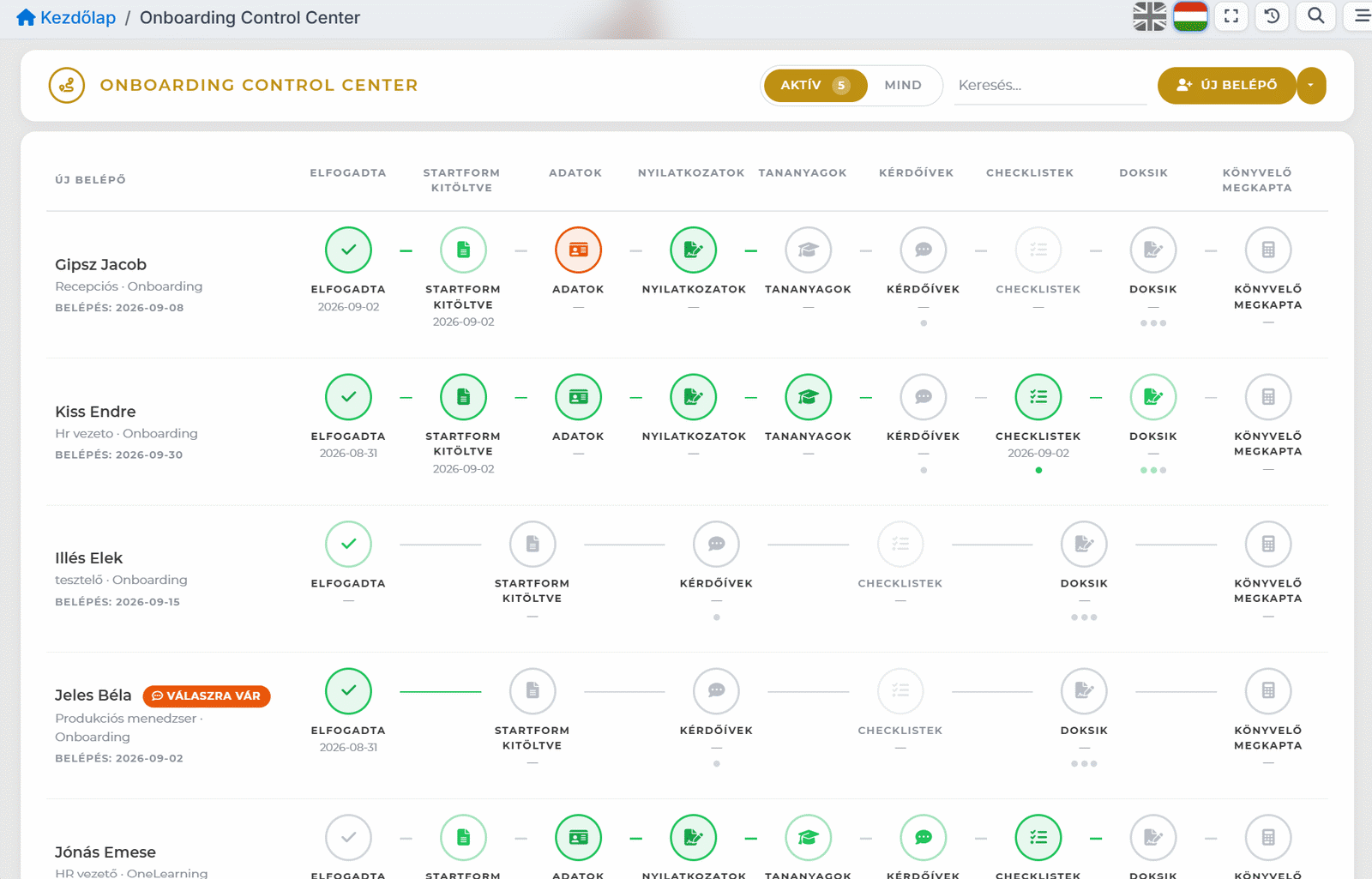
No need to rebuild the process for every new hire.
An office colleague needs something different from someone joining production, and different again from a manager.
The steps, tasks and documents can change. Even so, the same screen shows where everyone stands — and what comes next.
A different sequence. The same screen.