Onboarding that fits how you work

Declarations, data collection, documents and trainings — freely combined into a single onboarding flow.

The first day is not chaos, but a guided onboarding experience.

The same system, in the cloud or on your own servers — still small today, multiple sites tomorrow

How deep shall we go?

If you only have five minutes. The essentials, with practical examples. If you want to see what's behind it.

The question isn't what the system can do. It's how much work it takes off HR's and managers' shoulders.

0 Deployed in manufacturing and office HR environments
0 10,000+ active users
0 25 years of product development

Solutions for every HR need

How do we know everyone is prepared?

oneLearning

  • Upload own materials
  • Videos, PDFs, tests
  • See who is where
Learn more
How do we know the knowledge shows up in the work?

onePerformance

  • Individual goals
  • 360° feedback
  • Development plan
Learn more

Onboarding that truly works

Order from day one: no missing declaration, no forgotten access.

startForm

An onboarding form you assemble yourself. Declarations, data collection, documents, questionnaires and e-learning elements combined in any order.

Checklists

Laptop, phone, access, parking. Nothing left out, everything trackable.

Document generation

Employment contract, GDPR declaration generated automatically. Signature request.

Digital personnel folder

All documents in one place, with role-based access and expiration tracking.

Introductory trainings

Automatic training assignment. Safety, fire safety, company intro.

Full lifecycle

From entry to exit. Offboarding checklists, exit interview, withdrawals.

New

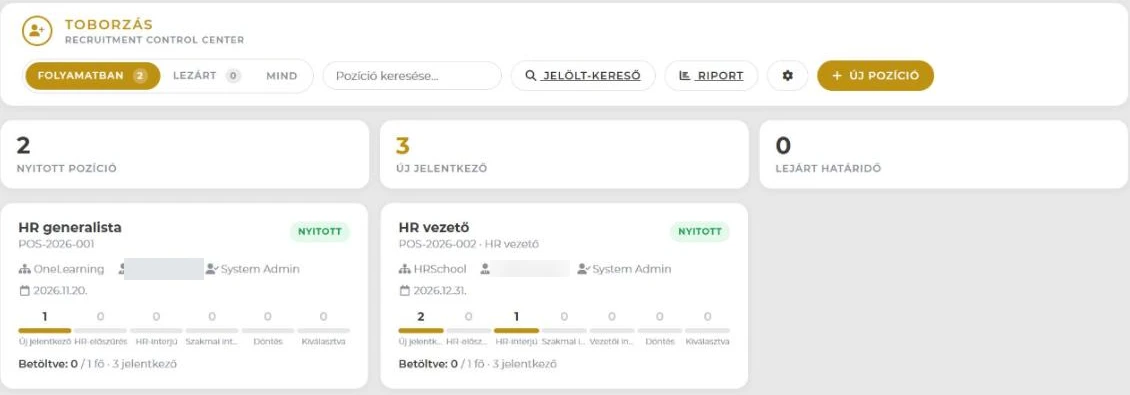
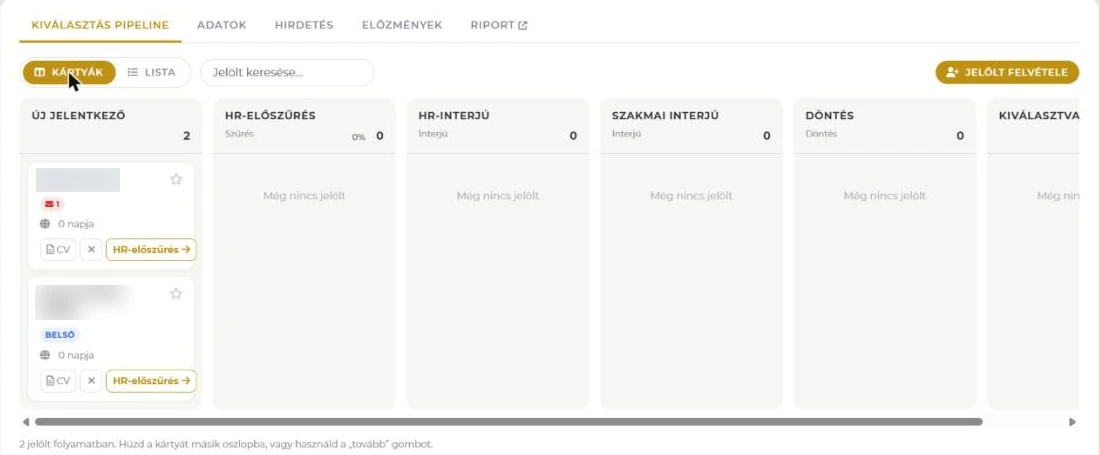
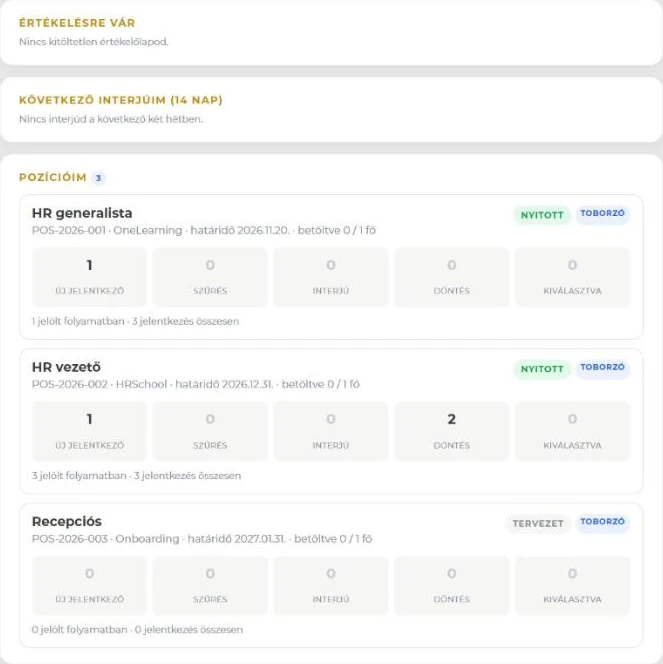
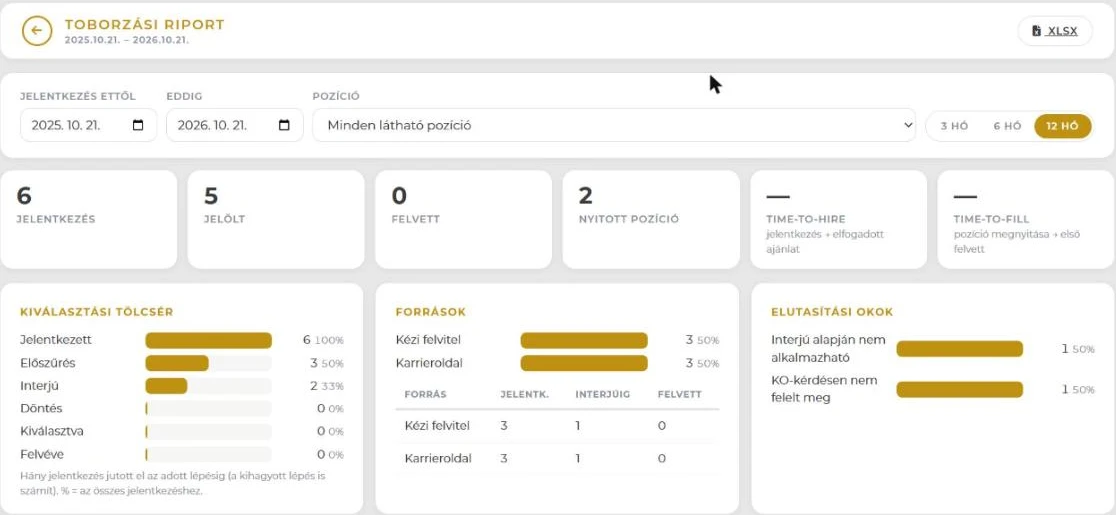
Onboarding Control Center

From the offer to the probation survey, every new hire on one screen — with the next step always one button away.

  • One row = one person, one dot = one station
  • Offers with a token-based accept page — no login needed for candidates
  • Day-7, 30 and 90 surveys tracked automatically
Meet the Control Center
StartForm oneDox E-learning Surveys First entry Messages OCC

startForm – Intelligent onboarding form

The foundation of get-2.work is the custom startForm that manages the entire new employee experience.

Declarations with signature

NDA, GDPR, safety training – with electronic signature.

Data collection forms

Missing personal data, billing info, document upload.

Training integration

E-learning courses and tests built into the startForm.

Surveys

Satisfaction, expectations, feedback – all in one place.

Only when complete

Onboarding only closes when the new employee completes all elements.

Onboarding doesn't stop at data collection.

Based on the submitted data, HR can automatically generate the required documents — which can be accepted online or authenticated with a qualified electronic signature.

  • No manual data entry — data is entered once into the system
  • No emailing Word files — documents are generated automatically
  • No printing or scanning — acceptance happens online
  • No Excel tracking — status is always visible in the system
  • The document stays traceable even if printed or forwarded

From onboarding to archived document — one digital process.

Frequently asked questions

What people ask most often about onboarding.

How long does it take to put an onboarding process together?
A simple process can be a handful of steps; a more complex onboarding may involve documents, approvals, training and equipment tasks. It is built from startForm elements, so the process can follow how your company actually works.
What does the new hire do before their first day?
They provide the required data, complete the steps assigned to them, and accept or sign the necessary documents. No company account is needed for that.
Is a signed paper required?
Documents can be accepted online, and where a formal signature is required there is a path for that too — within the same process.
What if two new hires don't follow the same process?
That is the normal case. The process is built from elements, so it can differ by role, by site or even case by case — there is no single rigid checklist for everyone.
How does HR know where everyone stands?
On one screen: one row per person, one dot per station. You can see where a process has stalled and what the next step is.
Does it handle offboarding too?
Yes. Leaving runs on the same process engine as joining — with different content: exit declarations, revoked access, an exit questionnaire. Where someone stands is visible the same way.
SaaS
vagy
On-site

Choose what suits you

Supports both cloud (SaaS) and on-site (on-site) deployment. Detailed service models are presented on the oneSolution page.

View details →
HR support, training, interim solutions

HR School is One Solution's strategic partner: offering practical HR support, training, and interim solutions to ensure that system implementation and operations succeed not just technologically, but professionally as well.

Learn more

Why we built it this way

Because in 25 years we've seen that most HR people don't need more menu items — they need to find information faster, administer less, and coordinate less. So with every change, we ask the same questions:

  • Will it mean fewer clicks?
  • Will it mean less admin?
  • Will information be found faster?

If yes, it stays. If not, we don't build it.

What you gain

Faster start

Day one is work, not paperwork.

Less admin

Declarations, data, documents, training in one flow.

Nothing slips

Checklists and access tracked in one place.

Better first impression

The new hire arrives guided, not into chaos.

One data, everywhere

No duplicate data entry for HR.

Contact

Provide your phone for a quick callback

Email address

info@onelearning.info

Postal address

One Learning Zrt.
1021 Budapest, Budakeszi 51/D C.ép. II/5